Load a Custom Report
You can load a custom report to make changes to the existing criteria of the report. This makes it easy to add additional columns or filters to a custom report without creating a custom report from the NRS custom report builder each time you need to make any modification.
To load a custom report:
- On the NRS homepage, click Create a Custom Report.
-
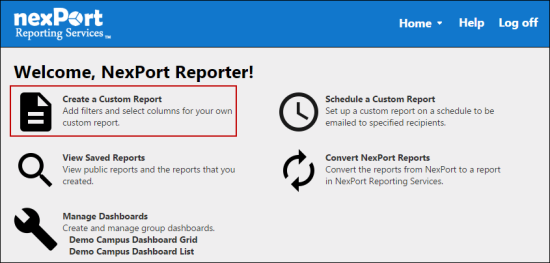
- The Create a Custom Report page is displayed.
-
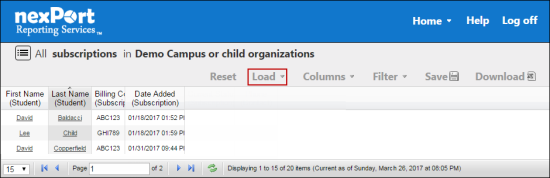
- In the menu, click Load.
-
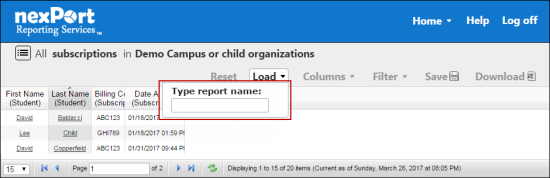
- In the Type report name box, type the first few characters of the custom report that you need to load.
- NRS populates the matching results.
- A confirmation dialog box is displayed with the “Are you sure you would like to load this report? You will lose any unsaved changes in the current report.” message.
- Click OK.
- The custom reports filter display and the table data is reloaded.
 Related Topics
© NexPort Solutions 2017. All Rights Reserved.